
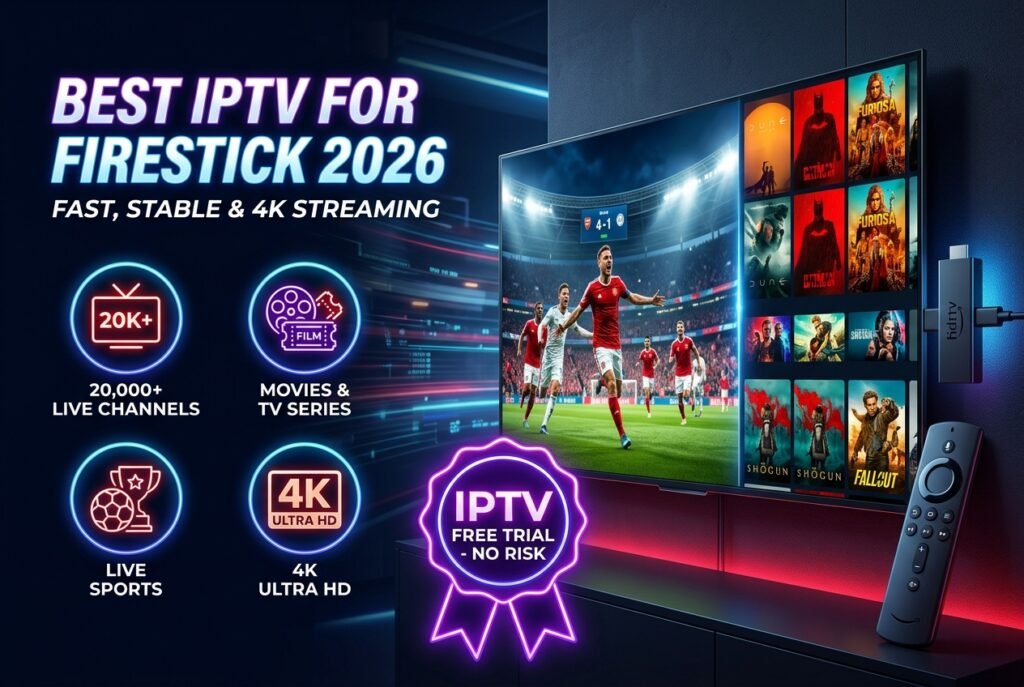
Firestick IPTV 2027 represents the gold standard in modern cord-cutting, empowering viewers worldwide to stream broadcast television, premier sports leagues, and thousands of on-demand movies without the burden of bloated cable contracts. When pairing your Amazon Fire TV hardware with an enterprise provider like Firebox IPTV, any screen instantly becomes an ultra-high-definition entertainment hub with sub-second channel switching. Mastering your Firestick IPTV 2027 permanently eliminates expensive coaxial cable bills while elevating your home viewing quality to broadcast 4K standards.
In this comprehensive step-by-step setup walkthrough for Firestick IPTV 2027, we examine how internet protocol streaming operates, compare Amazon Fire TV hardware models, and provide verified sideloading steps for buffer-free 4K streaming. For historical and technical context on digital broadcasting networks, consult the authoritative Internet Protocol television (IPTV) architectural standard.
What is Firestick IPTV 2027 and How Does Cord-Cutting Work?
Firestick IPTV 2027 refers to the delivery of live television programming and on-demand digital video content over high-speed optical broadband rather than traditional satellite dishes or coaxial cable infrastructure. Legacy cable networks force video signals through miles of aging copper wiring, causing signal degradation, weather-related outages, and artificial channel caps. In contrast, Firestick IPTV 2027 streams digital packets directly from high-capacity cloud content delivery networks straight to your Fire TV processor.
By transitioning to Firestick IPTV 2027 with Firebox IPTV, your household gains complete command over your entertainment lineup:
- Access to over 18,000 live broadcast television channels in uncompressed 4K UHD and 1080p FHD
- Comprehensive live sports and combat sports networks (Premier League, Champions League, UFC, Formula 1, NFL, NBA)
- Vast on-demand video libraries containing 80,000+ films and television series with IMDb integration and multi-language subtitles
- Global international programming including USA, UK, Canada, France, Germany, Latin America, Arabic, and Asian channels
- Sub-second channel zapping powered by optimized ExoPlayer and VLC video rendering engines
Amazon Fire TV Hardware Models for Firestick IPTV 2027
Selecting the right Amazon Fire TV streaming device is essential for getting the absolute most out of your Firestick IPTV 2027. Decoding high-bitrate 4K 60fps video streams requires sufficient GPU processing power and internal RAM to prevent buffering bottlenecks. Here is how current Amazon Fire TV devices compare for Firestick IPTV 2027:
| Fire TV Device Model | Processor & RAM | Storage & Wi-Fi Standard | Suitability for Firestick IPTV 2027 |
|---|---|---|---|
| Fire TV Stick Lite / HD | 1.7 GHz Quad-Core, 1GB RAM | 8GB, Wi-Fi 5 (Dual-Band) | Good for basic 1080p secondary bedroom screens |
| Fire TV Stick 4K (2nd Gen) | 1.7 GHz Quad-Core, 2GB RAM | 8GB, Wi-Fi 6 (802.11ax) | Great 4K UHD Value for main living room TVs |
| Fire TV Stick 4K Max (2nd Gen) | 2.0 GHz Quad-Core, 2GB RAM | 16GB, Wi-Fi 6E (Tri-Band 6GHz) | Best Overall: Ultra-smooth 60fps & double storage capacity |
| Fire TV Cube (3rd Gen) | Octa-Core 2.2 GHz, 2GB RAM | 16GB, Wi-Fi 6E + Built-in Ethernet | Ultimate Flagship: Maximum raw processing power & hands-free Alexa |
For most streaming households setting up best iptv for firestick, the Fire TV Stick 4K Max is the ideal choice. Its generous 16GB internal storage easily accommodates multiple media players and EPG guide data, while Wi-Fi 6E support eliminates wireless signal congestion during your Firestick IPTV 2027 sessions.
How to Sideload IPTV Apps for Firestick IPTV 2027 in 5 Steps
Because specialized IPTV applications like TiviMate and IPTV Smarters Pro are not hosted directly in the standard Amazon Appstore, follow this simple 5-step sideloading procedure to install your software for Firestick IPTV 2027 with fire tv iptv setup:
Unlock Fire TV Developer Options
On your Fire TV home screen, open Settings > My Fire TV > About. Highlight your device name and click the center remote button 7 times continuously until the screen announces “No need, you are already a developer”.
Install Downloader from Amazon Appstore
Return to the home screen, select Find > Search, and enter Downloader. Install the official orange Downloader utility directly from the app store.
Enable Install Unknown Apps Permission
Navigate back to Settings > My Fire TV > Developer Options > Install Unknown Apps. Highlight Downloader and switch the setting to ON.
Download Your Desired IPTV Media Player
Launch Downloader. In the URL address box, type the quick download code for your chosen app (e.g., 27548 for TiviMate or firesticktricks.com/smarters) and click Go. Install the APK package once the download finishes.
Enter Your Firebox IPTV Subscription Credentials
Open your player, select Xtream Codes API, and paste the Server URL, Username, and Password received from Firebox IPTV. Your full 4K channel directory and TV guide will load automatically!
Firestick Maintenance: How to Prevent Buffering & Overheating
To keep your iptv smarters firestick hardware running at maximum efficiency over years of daily streaming, adopt these essential maintenance habits for Firestick IPTV 2027:
Clear App Cache Regularly
Navigate to Settings > Applications > Manage Installed Applications. Select your IPTV player and click Clear Cache once a week. This purges temporary video buffer fragments without deleting your playlists or account credentials.
Utilize the Bundled HDMI Extender Dongle
Always connect your Fire TV stick using the flexible HDMI extender cable included in the box. This prevents the stick from absorbing heat radiating from your television’s back panel, preventing thermal throttling and Wi-Fi antenna degradation.
Perform Quick Remote Reboots
If your streaming player ever feels sluggish, press and hold the Select (center) and Play/Pause remote buttons together for 5 seconds. Your Fire TV will instantly execute a clean system restart, flushing background processes from RAM.
Frequently Asked Questions About Firestick IPTV 2027
Is it safe and legal to use IPTV on an Amazon Fire TV Stick?
Yes. The Amazon Fire TV stick is simply an open Android-powered streaming device, and running media players like TiviMate or IPTV Smarters is completely legal. Pairing your hardware with a verified provider like Firebox IPTV gives you a secure, encrypted viewing experience.
Can I power my Firestick directly from the television’s USB port?
We strongly recommend plugging your Fire TV stick into a standard wall electrical outlet using the included AC power adapter. Standard TV USB ports often output only 0.5A, which can trigger unexpected reboots and video stuttering during high-bitrate 4K streaming.
How many channels and movies can my Firestick hold?
Because channels and movies are streamed on demand from high-speed cloud servers rather than downloaded directly to your device storage, your Firestick can access our complete catalog of 18,000+ live channels and 80,000+ movies without consuming your internal flash memory!
Can I travel abroad with my Firestick?
Yes! Portability is one of the greatest advantages of tivimate firestick guide. Simply unplug your Firestick, pack it in your luggage, and plug it into any hotel or Airbnb TV worldwide. Connect to the local Wi-Fi, and your exact home television lineup is ready to watch with Firestick IPTV 2027!
How do I update my channel lineup and EPG guide?
Channel updates and guide synchronizations happen automatically in the background. Whenever Firebox IPTV adds new sports channels or cinema releases, your player refreshes the playlist automatically upon launch.
Cut the cable cord today and start streaming smarter! Explore our affordable Firebox IPTV IPTV Plans or follow our comprehensive IPTV Setup Guide for instant 5-minute activation of your Firestick IPTV 2027!